VTU Syllabus1.0.31
Publisher Description


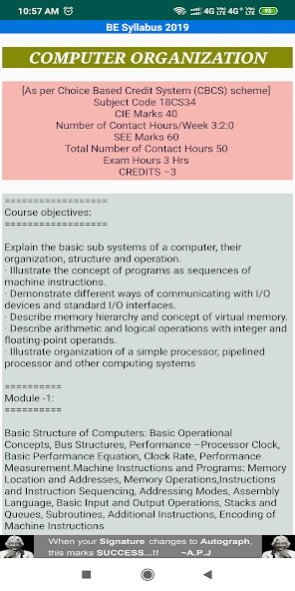
VTU Syllabus app contains new CBCS Scheme Syllabus of BE, MBA, MCA & GATE.
VTU Syllabus android app is developed to make the academic syllabus details available for students of Visvesvaraya Technological University, Belgaum, Karnataka, India.
Application works completely OFFLINE i.e. there is no need of internet to access the syllabus.
** 1,00,000 + Downloads and 8200 + Ratings **
App contains following information:
1. BE Syllabus - New CBCS Scheme (ECE, TCE, CSE, ISE, EEE, Mechanical, Civil and all other branches)
2. BE Syllabus - Prior to CBCS Scheme
3. MBA Syllabus - New CBCS Scheme 2016
4. MCA Syllabus - New CBCS Scheme 2016
5. Complete syllabus of MBA (All Branches)
6. VTU college details
7. View VTU results
8. Quantitative Aptitude MCQ's
9. Gate Syllabus
10. Notes, Seminar Topics & Project Info
11. MCQs for GATE Exam preparations
12. Lab Manuals & Old Question Papres
We will add the syllabus of other branches, M.Tech our next updates.
Also download 'VTU First Year : QP & Syllabus' android app, which contains 1st year BE Syllabus and Old Question Papers of VTU, Belgaum. App works completely OFFLINE.
Click on below link to download the app.
https://play.google.com/store/apps/details?id=com.venugopalmn.VTU_QP_1Year
I hope the App. is useful to you in one or the other way.
Send your valuable suggestion and feedback to: venugopalmn1988@gmail.com.
Regards,
Venugopal M N
About VTU Syllabus
The company that develops VTU Syllabus is VENUGOPAL M NANJAPPA. The latest version released by its developer is 1.0.31. This app was rated by 56 users of our site and has an average rating of 3.6.
To install VTU Syllabus on your Android device, just click the green Continue To App button above to start the installation process. The app is listed on our website since 2019-10-28 and was downloaded 16,662 times. We have already checked if the download link is safe, however for your own protection we recommend that you scan the downloaded app with your antivirus. Your antivirus may detect the VTU Syllabus as malware as malware if the download link to com.venugopalmn.vtu.syllabus.manuals is broken.
How to install VTU Syllabus on your Android device:
- Click on the Continue To App button on our website. This will redirect you to Google Play.
- Once the VTU Syllabus is shown in the Google Play listing of your Android device, you can start its download and installation. Tap on the Install button located below the search bar and to the right of the app icon.
- A pop-up window with the permissions required by VTU Syllabus will be shown. Click on Accept to continue the process.
- VTU Syllabus will be downloaded onto your device, displaying a progress. Once the download completes, the installation will start and you'll get a notification after the installation is finished.
Program Details
System requirements
Download information
Pricing
Version History
version 1.0.31
posted on 2019-10-29
1. Daily Updates on Jobs & Internship updates
2. Fixed the BLANK Data Display Issue on Devices with Latest Android OS
3. Included Non-CBCS Syllabus
version 1.0.30
posted on 2019-10-26
1. Daily Updates on Jobs & Internship updates
2. Fixed the BLANK Data Display Issue on Devices with Latest Android OS
version 1.0.27
posted on 2019-08-17
1. Fixed the Data Display Issue for Android Oreo & higher versions.
2. Latest BE, MBA, M.Tech, MCA Syllabus, QP, Notes & more. Also, now get daily updates on VTU..!!
version 1.0.18
posted on 2017-11-26
New version contains Old Question Paper collection of both UG & PG Courses.
version 1.0.12
posted on 2016-05-22
1. Major enhancement in User Interface,2. Added latest 1st Year Syllabus as per 2015-16 CBCS Scheme,3. Added Notes, MCQs for GATE extam, Seminar Topics & etc.,4. New set of Notes & QAs will be added automatically to app daily,5. Removed unnecessary Ads
version 1.0.1
posted on 2012-12-28
Several fixes and updates
